
Valet parking without
a paper token
Guests scan a QR, get an OTP and call their car back from a link or a WhatsApp message. Drivers photograph the keys and hand the car over against a QR. Nobody downloads an app.
- No app to install
- OTP, no passwords
- WhatsApp bot
- Key photo every time
0
Apps for guests to install
2
QR scans, drop off and pick up
4
WhatsApp commands to learn
1
Photo of the keys, every session
The paper token is the weakest part of the evening
A valet desk runs on scraps of paper and shouting. That is fine until it is Saturday night and forty cars leave in twenty minutes.
Lost tokens hold up the queue
A guest without their token turns into a five minute conversation at the busiest moment of the night.
Nobody knows whose keys those are
Keys in a pigeonhole with a number on a slip. When the slip is gone, so is the link between the car and its owner.
The guest waits at the kerb
Requesting the car means finding a valet first. Guests stand outside in the rain while somebody walks to the basement.
No record of anything
How long was the car in? Who took the keys? Who handed it back? Paper cannot answer any of that after the shift ends.
Drop off, park, pick up
Six steps for the guest, all of them on the phone they already have in their hand.
- 1
Scan the valet QR
Every driver carries their own permanent QR on a card or on their phone. Any camera app opens it, so there is nothing to install.
- 2
Get a six-digit OTP
The code arrives by SMS, is valid for ten minutes and fills itself in on Android Chrome. No password is ever created.
- 3
Hand over the keys
The driver enters your code and car number, photographs the keys and starts the session. You get an SMS saying the car is parked safely.
- 4
Ask for the car
Tap the link in that SMS, or message the WhatsApp bot. The session moves to Pickup requested and the driver sees it on the dashboard.
- 5
Watch the status
Confirmed, Pickup requested, Ready for pickup, Completed. An SMS lands each time the status changes, so nobody has to guess.
- 6
Show your QR at the kerb
When the car is ready you get a QR on your phone and the screen stays awake. The driver scans it, confirms the handover and the session closes with the total parking time.
What the valet does
- Signs up with a mobile number, licence number and a photo of the licence.
- Carries a permanent QR code they can print or show on screen.
- Starts a session with the guest OTP, the car number and a photo of the keys.
- Works from a dashboard of live sessions with the oldest first.
- Marks the car ready when it reaches the kerb.
- Scans the guest QR and confirms the handover to close the session.
The four states of a session
Keys taken, photo on file, car parked.
The guest has called for the car.
The car is at the kerb, waiting for the QR.
Handover confirmed, total parking time recorded.
Four numbers, and the car is on its way
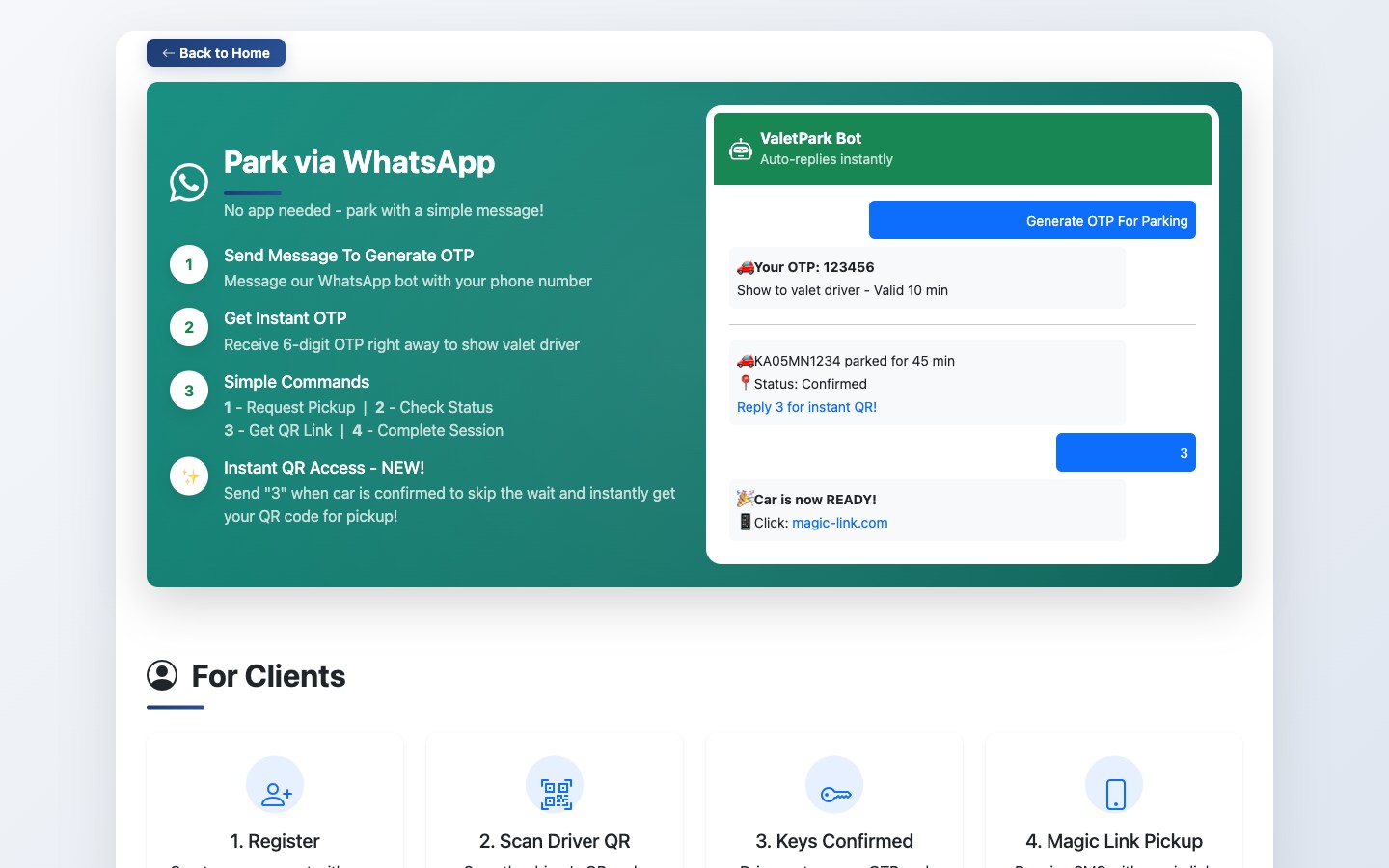
Guests who would rather not open a browser can run the whole thing from WhatsApp. Send your number, confirm the OTP, then reply with a number.
- 1Message the venue's WhatsApp number from the phone you gave at drop off.
- 2A six-digit OTP comes back. Send it to confirm it is really you.
- 3Reply with one of the four commands below. That is the whole interface.
Anything else gets a short menu back. The bot runs on the Meta WhatsApp Business Platform through an n8n workflow, so the wording can be changed for your venue without touching the app.
Request pickup
Calls the car. Works once the session is confirmed, and the valet team sees it immediately.
Check status
Replies with your car number, where the session has reached and how long the car has been parked.
Get my QR
Sends the pickup QR link. If the car is only parked, this also marks it ready, so it doubles as a queue jump.
Close the session
Confirms you have the car once it is ready, and closes the session with a thank you and the parking time.
Everything the desk needs, nothing it does not
Built for a valet stand on a busy night, not for a demo.
No app, no password
Guests and drivers both sign in with an OTP on their mobile number. The site installs to the home screen if they want it there.
A photo of the keys
The driver cannot start a session without uploading a key photo, so there is always a record of what was handed over.
QR at both ends
The guest scans the driver QR to start. The driver scans the guest QR to finish. Neither side can close a session on their word alone.
SMS at every step
Login code, session code, car parked, car ready and a closing message with the total parking time. Five messages, no chasing.
WhatsApp bot
Request pickup, check status, pull the QR or close the session, all from a chat thread on the guest's own number.
Links that just work
The SMS links sign the guest in on the spot. No one has to remember a booking reference or find a login page at the kerb.
Licence on record
Every driver signs up with a licence number and a photo of the licence, kept on file with their account.
Timed sessions
Every session is stamped when the keys are taken and when the car is returned, so parking time is on record and in the closing SMS.
What the guest and the valet actually see
Screens from valet.techarion.com, the live platform.
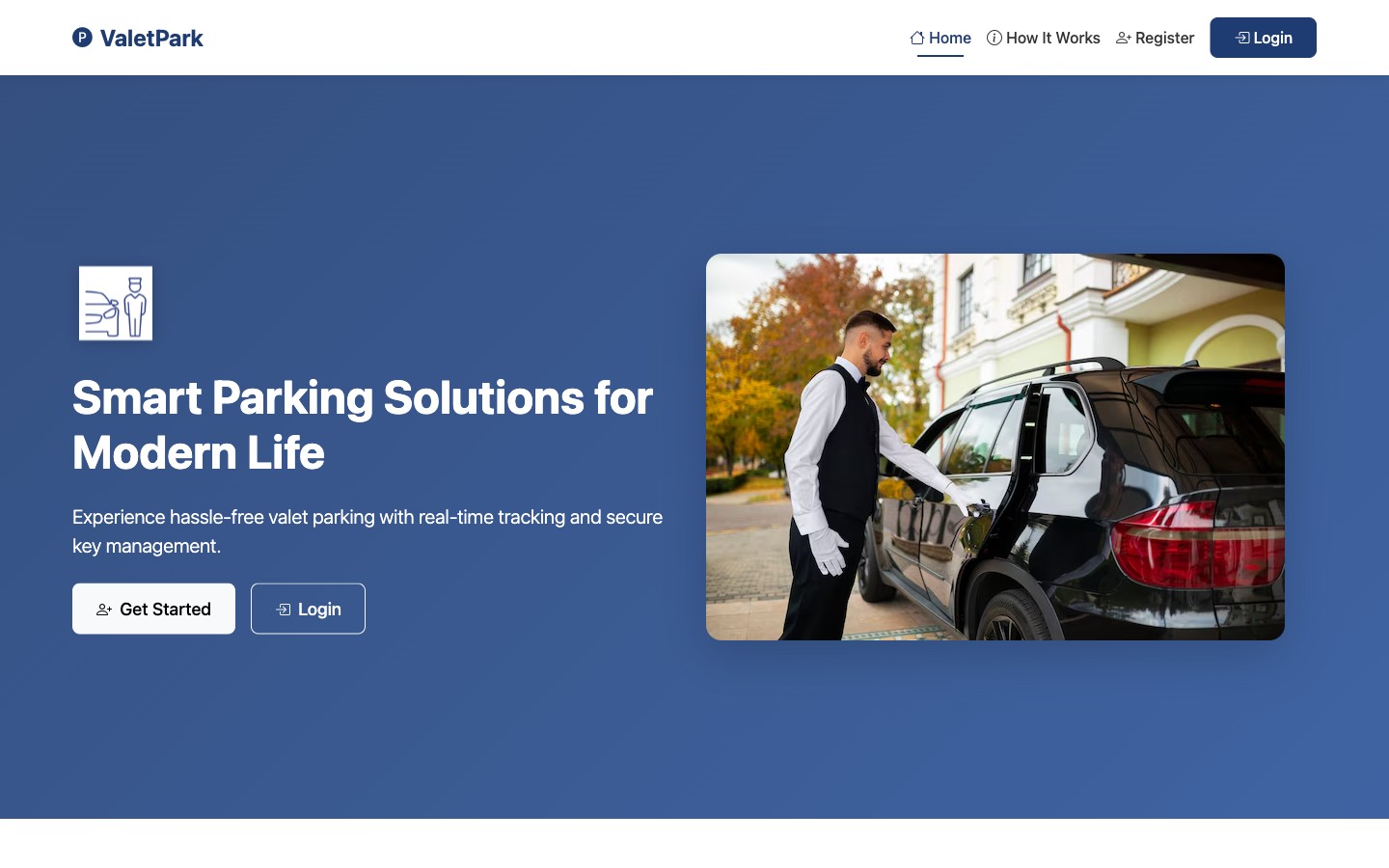
One entry point for guests and one for drivers, on the same site.
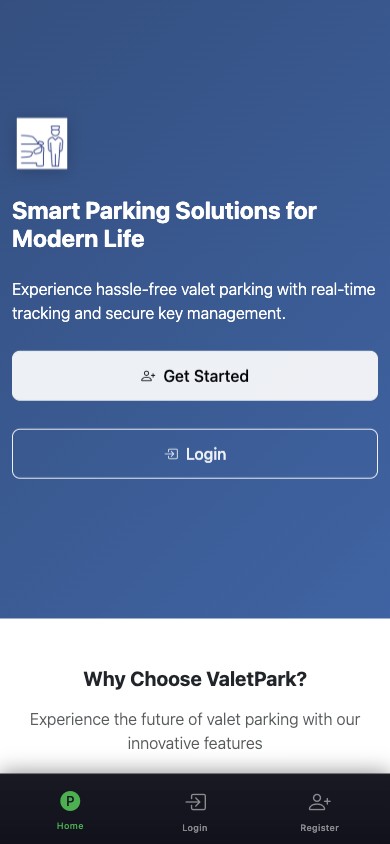
Everything is built mobile first, because that is where it is used.
Anywhere a queue forms at the kerb
The flow is the same everywhere. What changes is how many drivers you run and how busy the peak is.
Hotels
Guests arrive with luggage and leave in a hurry. A link in the SMS means the car is on its way before they reach the lobby door.
Malls
Long stays and a rush at closing. Guests call the car from the food court instead of queueing twice.
Hospitals
Attendants and families who cannot leave a bedside. Status by WhatsApp answers the question without a walk to the gate.
Restaurants
One valet, forty covers, everybody leaving at the same time. The pickup queue forms in the system rather than on the pavement.
Event venues
Hundreds of cars in an hour, temporary staff on shift. New drivers sign up with a licence and a QR the same evening.
Offices and clubs
Regular members and repeat cars. Their number is already known, so drop off takes one scan and one code.
Priced per location, not per car
A busy Saturday should not cost you more than a quiet Tuesday, so nothing is charged per session.
Single venue
One hotel, mall, hospital or restaurant with its own valet team.
₹4,999
Per month, from
- Unlimited parking sessions
- 5 driver accounts included
- Guest OTP login and magic links
- WhatsApp bot with the four commands
- SMS at every step of the session
- Key photos and session history
- Setup, driver onboarding and training
Venue group
Chains and groups running valet across several properties.
Quoted
Per group
- Several locations under one agreement
- Driver numbers sized to your peak
- Wording and branding changed for your venue
- WhatsApp flow tuned to how your desk works
- Reporting and integration work scoped with you
- A named contact and a support agreement
Prices are indicative, in INR and exclude GST. SMS and WhatsApp usage is billed at cost. Final pricing is confirmed after we see the venue and the shift pattern.
Questions we get asked
No. Guests scan the valet QR with the camera app they already have, and everything after that happens on a web page and by SMS or WhatsApp. If they want it on the home screen, the site installs like an app, but that is optional.